
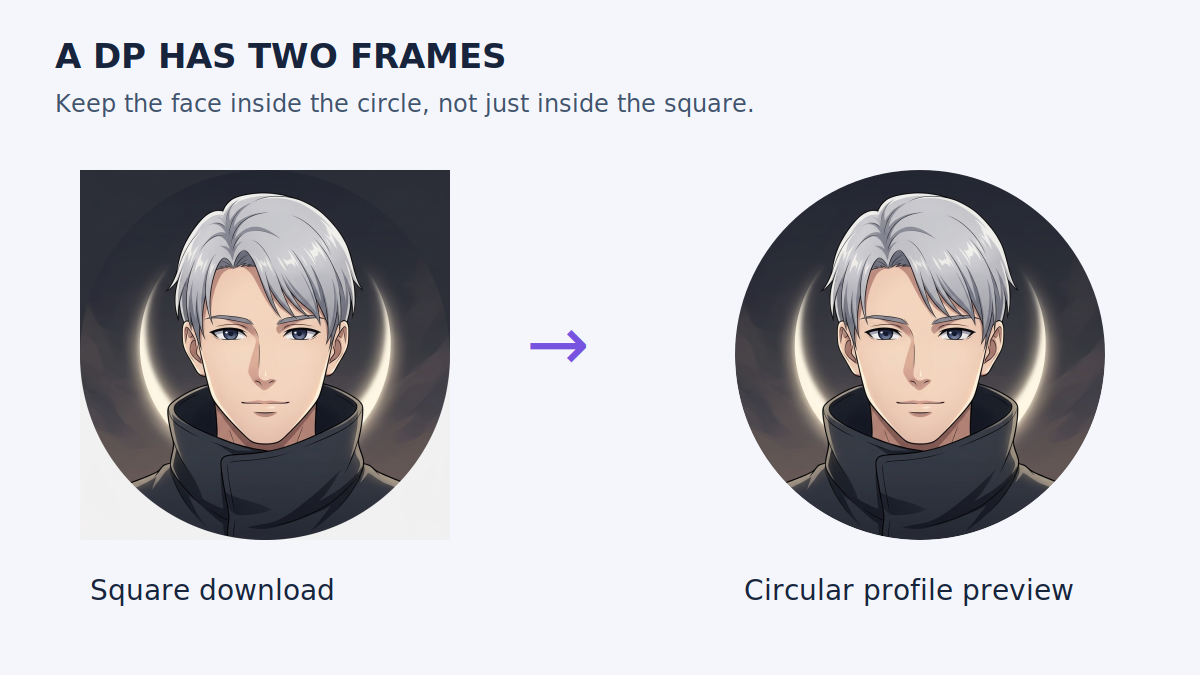
Your WhatsApp profile photo is tiny. In the chat list it's barely bigger than a thumbnail — and that's the part most people forget when they pick one. The gorgeous, detailed anime scene that looks stunning full-screen turns into an unrecognisable smudge at chat-list size.
So the rule for picking an anime DP is brutally simple: one clear subject, one readable expression, and space around the face. Everything else is decoration. The twenty ideas below all follow that rule — and every one of them is an original AI-assisted artwork from our collection, not an official portrait from a named anime series. The downloadable files are 1024 × 1024 pixels, for personal profile use under the site's terms.
Start with the mood, not the picture
Before scrolling, ask yourself what you want the photo to *say*. Friendly? Quiet? A bit bold? That one decision narrows twenty options down to five in seconds.
- Friendly: blossoms, pastels, animal companions.
- Quiet: blue and lilac portraits, softer palettes.
- Bold: the warrior, the pilot, the headphone designs.
These are style suggestions, not rules about who should use what. A warrior portrait doesn't require a warrior personality.
The twenty
1. Silver Hair Moon Portrait
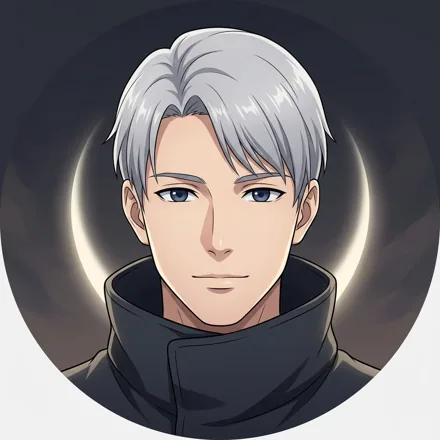
A pale-haired portrait that pops against a darker background. The one thing to watch: keep the top of the hair inside the circular preview, or the crop will eat it. Preview and download.
2. Lavender Artist Portrait
Soft lavender palette, gentle feel. Let the face do the work — don't zoom in so far that the decorative details take over. Preview and download.
3. Cyber Fox Companion
A fox companion gives you a playful identity without using your own photograph. Check both the face *and* the fox still read clearly at chat-list size. Preview and download.
4. Emerald Warrior Portrait
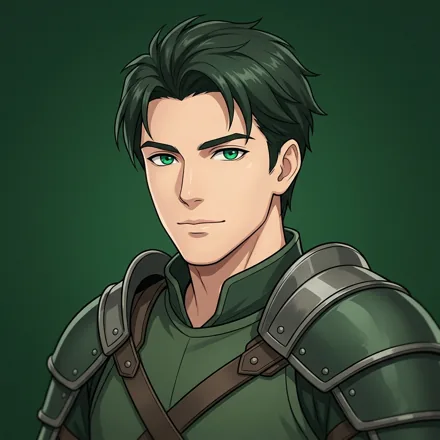
Green accents, stronger fantasy look. Leave space around the shoulders so the portrait doesn't feel squeezed into the circle. Preview and download.
5. Golden Headphones Portrait
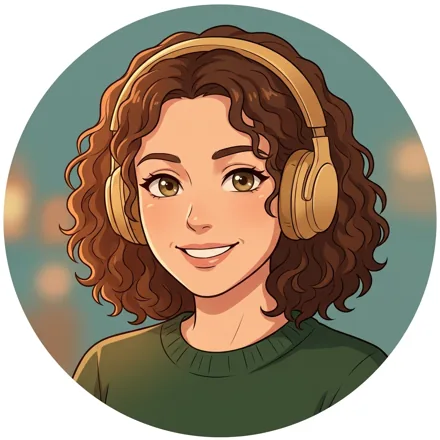
Headphones say "music person" instantly. If that's the feature you love, keep both ear cups visible in the crop. Preview and download.
6. Pink Cloud Cat
A gentle alternative to a human portrait. Simple characters like this one survive small sizes better than detailed faces do. Preview and download.
7. Rainy Blue Portrait
Blue rain tones, reflective mood. Just don't darken it so far that the face vanishes in a tiny preview — rainy art is the worst offender for this. Preview and download.
8. Sakura Smile Portrait
A smile plus blossom colours reads as welcoming in about half a second. Centre the expression first, background second. Preview and download.
9. Midnight Wolf Portrait
Darker, moodier. At small sizes, forget the fur detail — what matters is a clear silhouette. Check the outline, not the texture. Preview and download.
10. Sunflower Girl Portrait
Warm sunflower palette. Keep the yellow accent visible, but don't let it shove the face out of the starring role. Preview and download.
11. Star Pilot Portrait
Space-pilot style for sci-fi fans. Headgear needs room at the top — cropping tightly around the eyes will chop it off. Preview and download.
12. Mint Bunny Companion
Light, friendly, a bit soft. Keep the ears away from the edge of the circular crop, or they'll get clipped. Preview and download.
13. Crimson Swordsman Portrait
Red accents, high energy. Balance the crop so a sword or shoulder detail doesn't push the face off-centre. Preview and download.
14. Ocean Eyes Portrait
A close-up, blue-eyed portrait for when you want the face to fill the frame. Preview it at actual chat size before deciding a tighter crop is better — closer isn't always clearer. Preview and download.
15. Bookish Owl Companion
An owl companion signals reading, studying, quiet interests. Keep the companion visible beside the main subject — that's the whole point of the design. Preview and download.
16. Rose Glasses Portrait
Rose-coloured glasses make an accessory-led look that's recognisable at any size. Keep the full glasses frame inside the circle. Preview and download.
17. Daisy Hair Portrait
Daisy details soften a portrait. Leave room for the flowers while keeping the eyes easy to spot. Preview and download.
18. Lilac Dreamer Portrait
Calm lilac tones, good for a coordinated profile. Pair it with a similar phone background rather than adding small text nobody can read. Preview and download.
19. Turquoise Wave Portrait
Bright without being busy. Compare it with your current DP at the same display size — that's the only fair test. Preview and download.
20. A coordinated profile and wallpaper pair
No twentieth portrait here — instead, a styling trick. Pair an existing portrait with a wallpaper in a similar palette. The silver-haired moon portrait with Moonlit Samurai Ridge, for instance. They don't need to show the same character; shared blue tones are enough to make the profile and background feel like they belong together.
Getting the crop right
- Download the original image from its detail page — not a screenshot.
- Open your profile photo editor in WhatsApp.
- Put the face near the centre, with hair or ears inside the circular boundary.
- Save, then check the *small* profile image in the app — not just the full-screen preview. The small one is what everyone actually sees.
If the image loses detail, our WhatsApp DP quality guide explains why. And don't keep re-saving screenshots of the same picture — each save costs quality. Keep the original download so you can retry a different crop any time.
Three things people ask
Do I need a photo of myself? No. An illustration is a legitimate personal profile choice. Just don't use a picture to impersonate someone else or fake an official connection to a character brand.
Can I use a wallpaper as a DP? Sometimes — but a tall scene loses most of its composition when it's squeezed to a square and then a circle. A purpose-made portrait is almost always easier to frame.
Where are the rest? Browse the complete Anime DP collection. Open an image to check its original dimensions and download it clean, without browser interface elements.