You open a chat, and where someone's face used to be, there's just a grey silhouette. Your stomach drops a little. Did they block you? Did something happen?
Slow down. A missing WhatsApp profile picture alone does not prove someone blocked you. Not even close. Privacy settings, a deleted photo, a slow connection, or the other person simply changing their picture can all produce exactly the same grey avatar. Jumping to "I've been blocked" from that one clue is how friendships get awkwardly damaged over nothing.
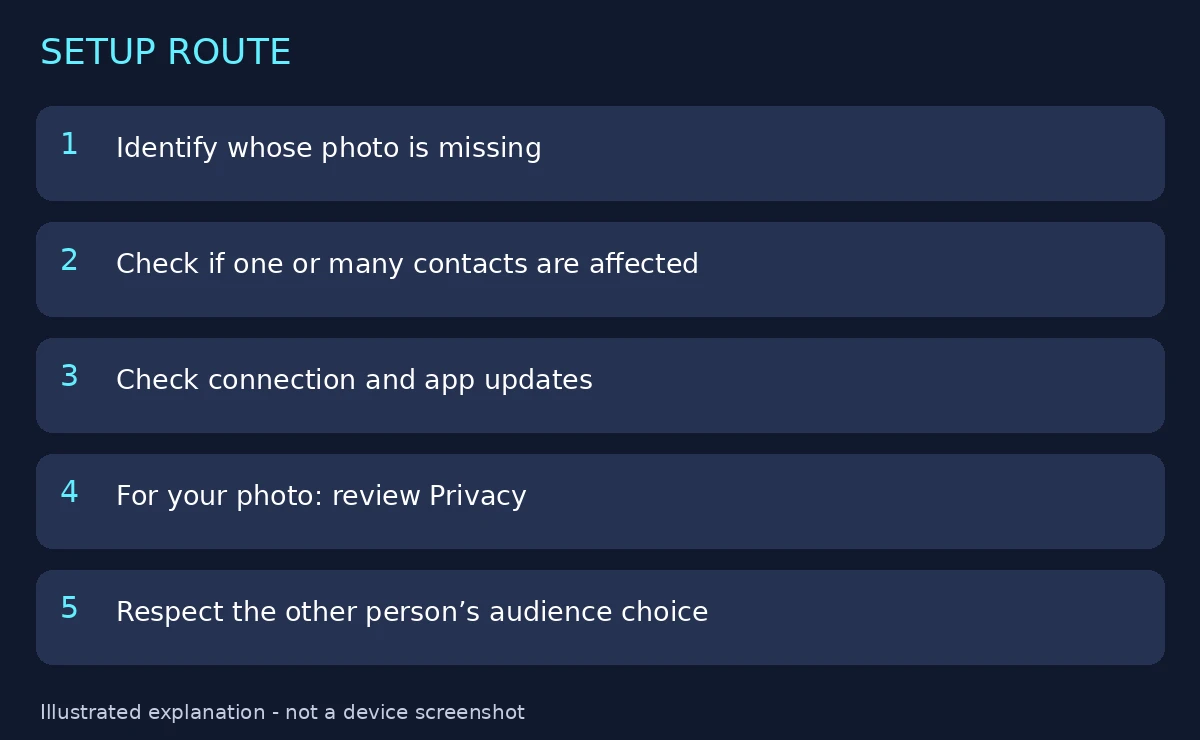
So before you do anything — before you send a test message, before you ask a mutual friend, before you spiral — figure out which direction the problem points. Are others unable to see your photo, or are you unable to see someone else's? Those are two completely different problems with completely different fixes, and mixing them up wastes everyone's time.
Start with one clear observation
Open the contact or chat and note what you actually see. Not what you think it means — what you see.
Is it a blank grey avatar? An old photo that hasn't updated? A photo that loads halfway and stalls? Does it affect one person, or many? Write it down mentally, because "their picture is gone" and "their picture is stuck on a photo from 2022" point in different directions.
If others can't see your photo
This is the side you can actually control, so check it first. Open WhatsApp, go to Settings > Privacy > Profile picture, and look at the audience you've set.
WhatsApp gives you a few options here — everyone, your contacts, your contacts except certain people, or nobody. If you deliberately excluded someone at some point, their inability to see your picture is expected behaviour, not a glitch. It's surprisingly common to set an exclusion, forget about it six months later, and then wonder why one specific person can't see your new photo.
Ask one trusted contact — someone you're comfortable with — to check whether they can see your current picture. That's a clean test. What you should not do is widen the audience to Everyone just as a troubleshooting shortcut. If you set that privacy choice for a reason, keep it, and verify with a consenting person inside the audience you actually want.
If you can't see someone else's photo
Here's the part nobody likes: this side is mostly out of your hands.
WhatsApp's Help Center explains that privacy settings, contact relationships, and temporary connectivity problems can all affect profile information. The other person controls their own photo and their own audience. Your phone cannot override that choice, and no setting on your end will force their picture to appear.
Think through the realistic explanations before the dramatic one:
- They changed their privacy setting. Maybe their photo is now contacts-only and your number isn't saved in their phone, or they excluded a group of contacts. You'd see a blank avatar, and everything else would work perfectly normally.
- They removed or changed the photo. Some people delete their DP for a while, or swap to a blank image. Nothing about you — they just did.
- They changed their number or got a new phone. If their account changed and you're looking at an old chat thread, the photo may not carry over.
- Your connection is struggling. A weak or flaky connection can fail to load profile photos while messages still go through. This one is easy to test and easy to miss.
What about blocking? Yes, being blocked can also hide a profile photo. But it's one explanation among several, and it's the only one you can't verify from the photo alone. If messages still deliver, their "last seen" or "about" info is still visible, and calls go through normally, a block is unlikely. If several of those things changed at once, that's a stronger signal — but still not proof, and still not something worth confronting someone over based on a profile picture.
If several photos fail to load
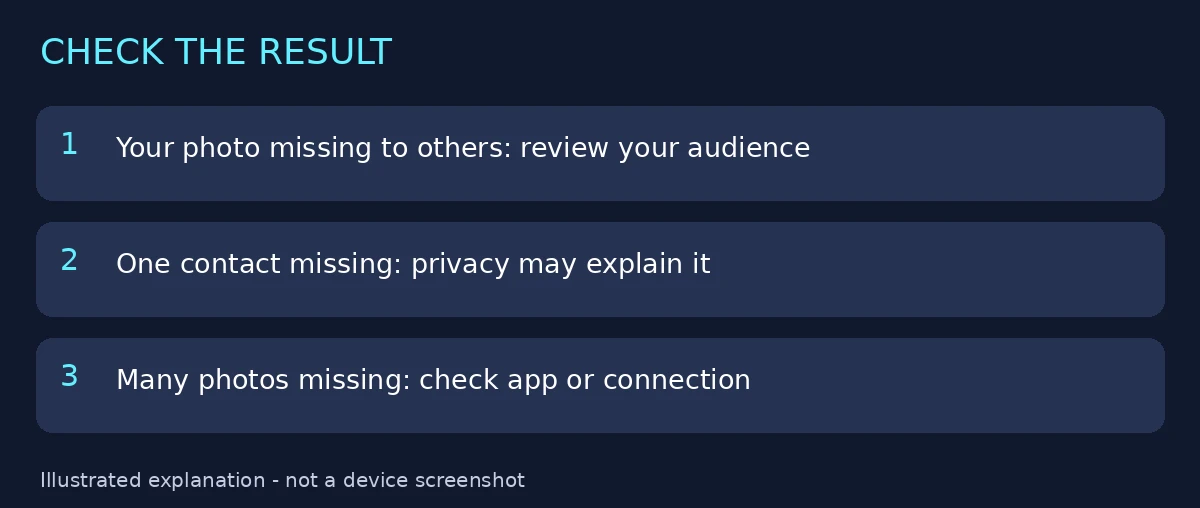
When it's not one contact but many — half your chat list showing grey avatars — the problem is almost certainly on your end, and it's usually boring: connection or an outdated app.
Check your connection first. Switch between Wi-Fi and mobile data and see if the photos load. Then make sure WhatsApp is up to date in your app store. Then open the same contact again after the connection is stable and give it a moment — photos sometimes load a beat behind the chat list.
If the problem persists, use WhatsApp's in-app help (Settings > Help) and describe what you observed: how many contacts are affected, when it started, and what exactly appears instead of the photos. That detail gets you a useful answer.
What you should avoid: repeatedly deleting contacts or reinstalling the app without understanding the effect on your data. Reinstalling can mean re-verifying, restoring backups, and losing messages that hadn't backed up yet — all to fix a loading problem that a connection toggle would have solved. Deleting and re-adding a contact can also lose chat history links and custom settings for that person. Try the gentle fixes first.
What a good outcome actually looks like
It depends on which side of the problem you're on.
For your own photo, success is simple: the intended contact confirms they can see it. Done. No further investigation needed.
For someone else's photo, success might just be establishing that your app is loading normally — other people's photos appear, your connection is fine, and this one contact's photo is missing for reasons on their end. You may never find out why, and that's okay. Their privacy settings are theirs.
One thing to steer clear of entirely: third-party "profile viewer" apps and websites that promise to show you hidden profile pictures or tell you who blocked you. They can't bypass WhatsApp's privacy — that's not how the system works — and what they usually do instead is harvest your contacts, spam your account, or get your number flagged. If a tool promises to reveal something WhatsApp deliberately hides, the tool is the scam.
Related DP guides
See selected-contact profile-photo privacy, changing your DP without quality loss, and our WhatsApp DP collection.
Reviewed sources
WhatsApp: Can't view profile photo and contact profile information. Reviewed 5 October 2026. Diagrams are explanations, not captured app screens.